Showing posts with label texture. Show all posts

Sunday, April 26, 2009

Tres gets the treatment

Tres gets the treatment

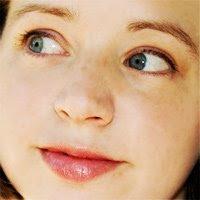
I took the original photo (shot in June of last year, so she would have been 8mo) and gave it a cross processed look via a curves adjustment layer in Photoshop. That looked cool, but I thought I'd like to rough it up a little more so I zoomed in on some rusty barrels Mary and I photographed on our recent explore and overlayed that for texture (masking out the skin a bit).

Mary, I hope that someday you'll be able to load Photoshop onto your computer. I have so many tricks I want to teach you! :-*


~RCH~

Sunday, February 22, 2009

I began with that and ended up with this

I took this photo, more or less SOOC (that's "straight out of camera" for the uninitiated)...

Original photo; click for larger version
Nikon D70; 85mm prime lens; 1/640s at f/1.8; ISO 200

... and added two textures (both of which I'd photographed previously, so they're mine all mine):

Stucco texture

Rust texture

I futzed around with blending modes, masked the textures out a bit around the face and arms, and added my (again, completely original) favorite border, and voila!

Finished product; click for larger version

Thanks for modeling, seester (and for the hot date)!


~RCH~

Wednesday, January 28, 2009

Practicing with textures

I recently paid $39 for a set of Photoshop actions and textures designed to give pictures a vintage look. I wouldn't say I got ripped off, exactly; its creator had no malice of intent and for someone less familiar with Photoshop, the set would be a big help. But I've been using the program for 10 years; I ran the set and thought, "That's it? I paid forty bucks for that?" I guess I expected something more advanced, something beyond my grasp. But it's not.

So I decided to practice creating my own. I made an action for a curves adjustment that gives a retro, cross-processed look (ish), then I warmed up the color and lowered the contrast on a photo of snow and gravel to use as my overlay texture. Obviously I need to keep practicing; I don't think anybody would pay money to learn my secret formula. But it's a start! :-)


Original photo (SOOC)
Nikon D70; 85mm prime lens; 1/800s at f/4.5; ISO 200


Photoshopped version
Curves and saturation adjustment layers; original texture added; texture masked out and lightened around the face


~RCH~